
Claiming
What are Land Claims?
Land claims are pieces of land that a person has ownership over. You can claim land with claimblocks. Claimblocks can be obtained through playtime, the online store, tokens and the token shop, chatgames and through player trading.
On claimed property, players that do not have trust to modify the claim cannot destroy, access containers such as chests, interact with buttons, doors, etc or grief that land
Claims expire after 45 days of inactivity from your account, so if you do not log on for 45 days your land claim will be removed. If you know that you are going to not be able to come online for an extended period of time, you can open a ticket within the Discord and ask for your claims to be transferred to a staff member for keeping until you return.
Once a land claim expires, it is free for anyone to take items from the claim, reclaim the area, break blocks and more.
"If it's unclaimed it's fair game."
How to create a claim?
You will need: Claimblocks, a golden shovel (can be obtained using /kit default) and an area to claim.
You cannot create a land claim on top of or too close to another land claim
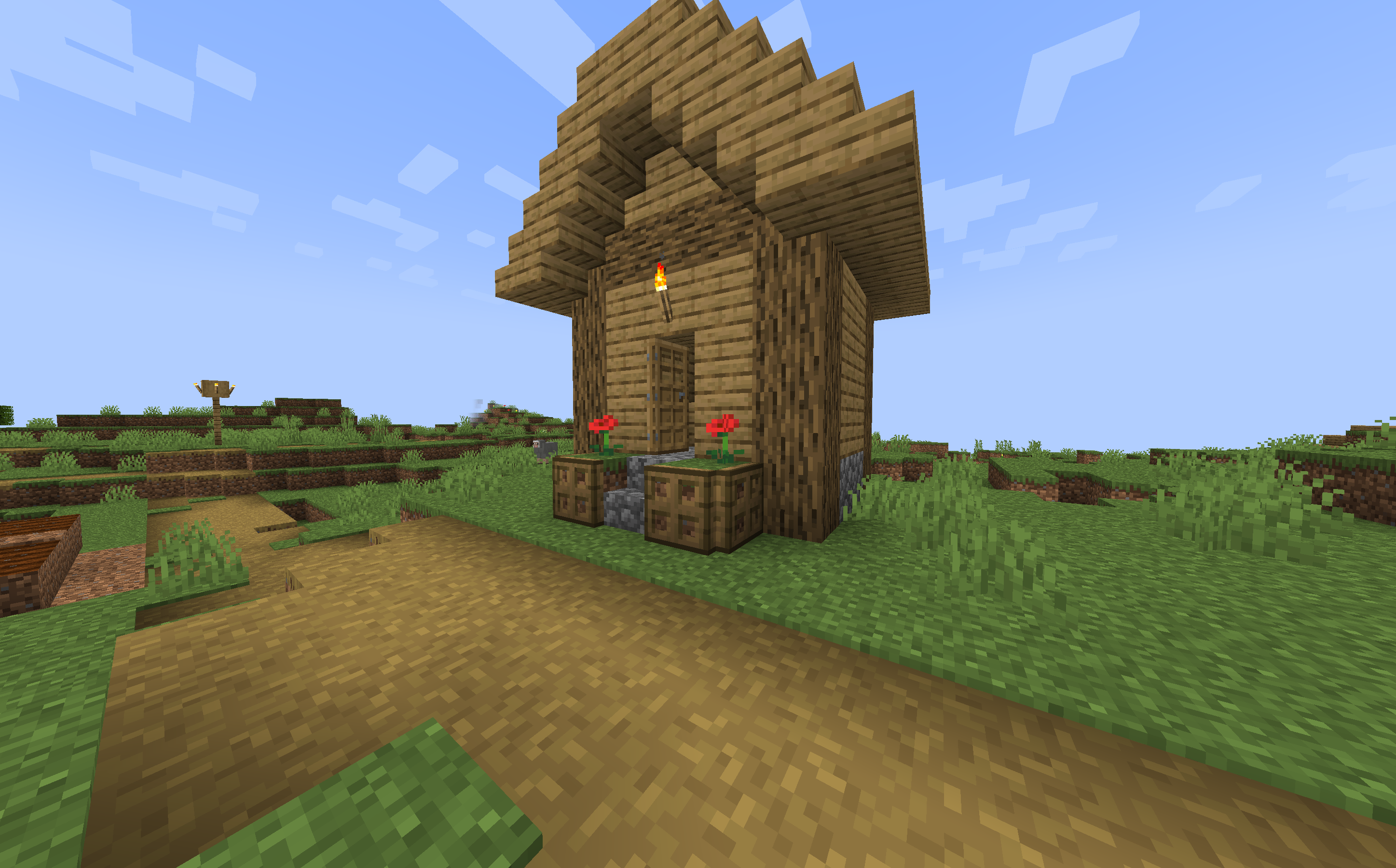
For this example we will be claiming this house.
Step 1:
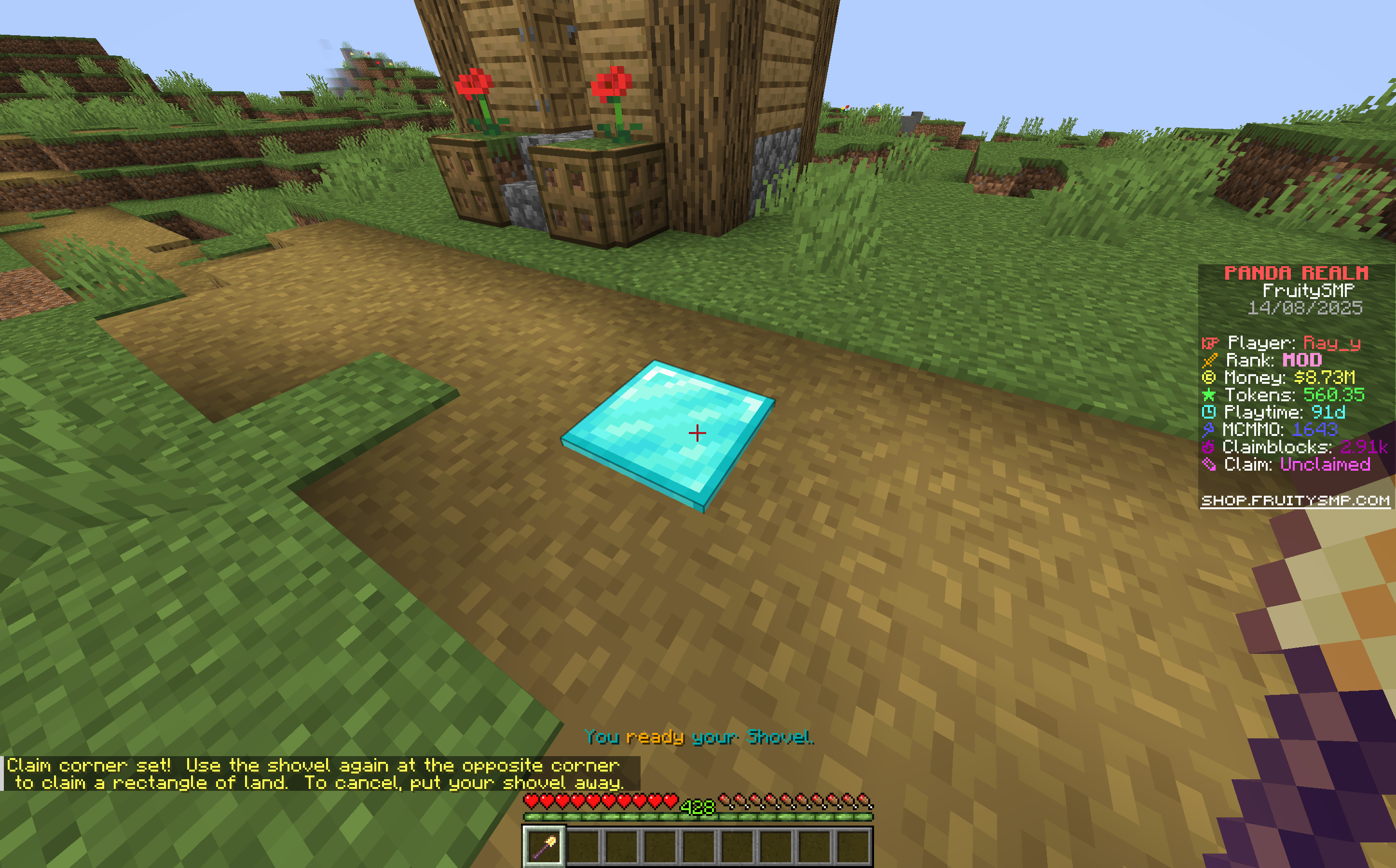
Using your golden shovel, right click the first point of where you want your claim to be. Your claim will be a rectangle, so make sure to plan where your points should be.
Step 2:
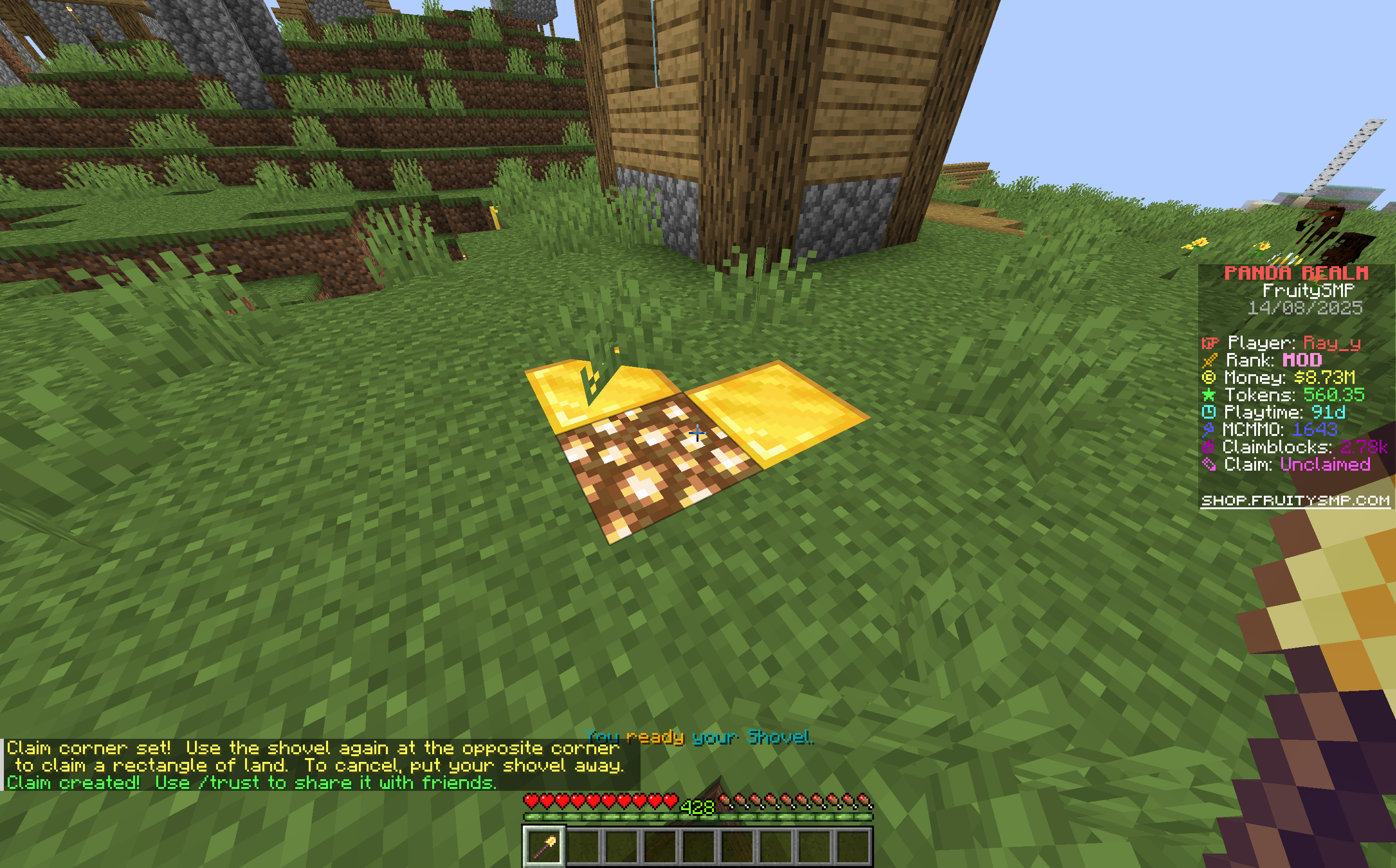
After that, while still holding the shovel and not switching to another space in your hotbar, right click the next corner of the area you want to claim. Your claim will then be created.
Step 3:
By default, nobody except you can edit anything on the claimed land. To allow certain people to be able to build, access chests and more, use the command /trust (playername). To revoke permissions from a user, you can use /untrust (playername).